Lesson
For Loops
Learn how a for loop works by building cool projects.
Intro
What is a For Loop?
Let's say we're learning JS by building a project: a functional TV with a remote. Creating all ten number buttons by hand would be slow and repetitive, so we'll use a for loop to build them for us. First we'll learn what a for loop is, and then we'll use it to build the remote at the end of this lesson.
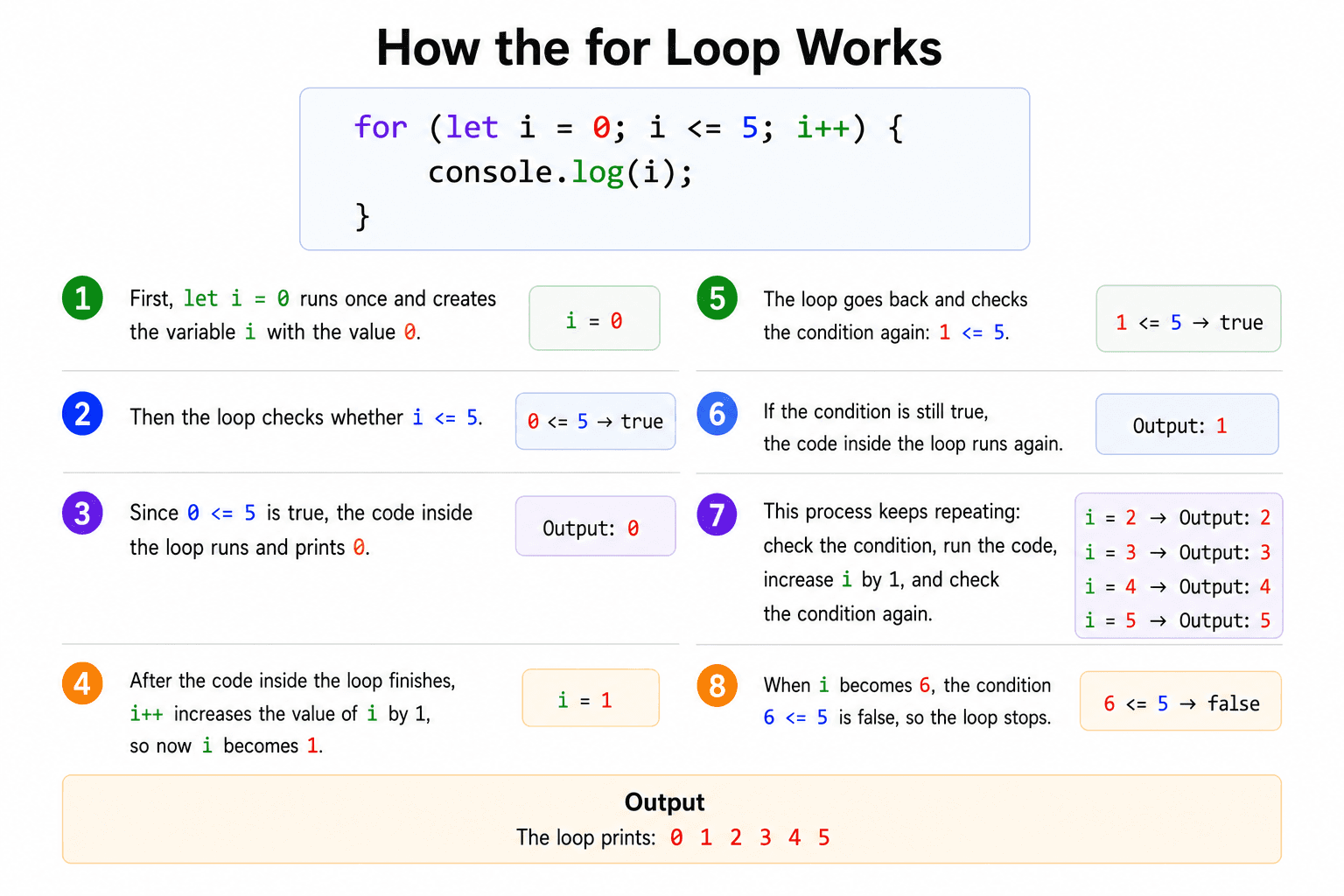
A for loop lets us run a block of code a number of times. It is fundamental whenever we need to repeat an action, instead of writing the same line over and over.
Try it yourself. Drag the slider below and watch an apple appear for each step as the counter climbs.
Example
For Loops
Try it yourself in the code editor below. You can change the output screen size by clicking the 1x, 0.5x, or 0.25x buttons, and the preview updates automatically as you edit.
for (let i = 0; i < 3; i++) {
  const egg = document.createElement("img");
  egg.src = "https://i.ibb.co/jPhYbyJB/brown-Egg.png";
  egg.className = `egg slot-${i}`;
  brownCarton.appendChild(egg);
}
Task
Pirates in Prison Cells
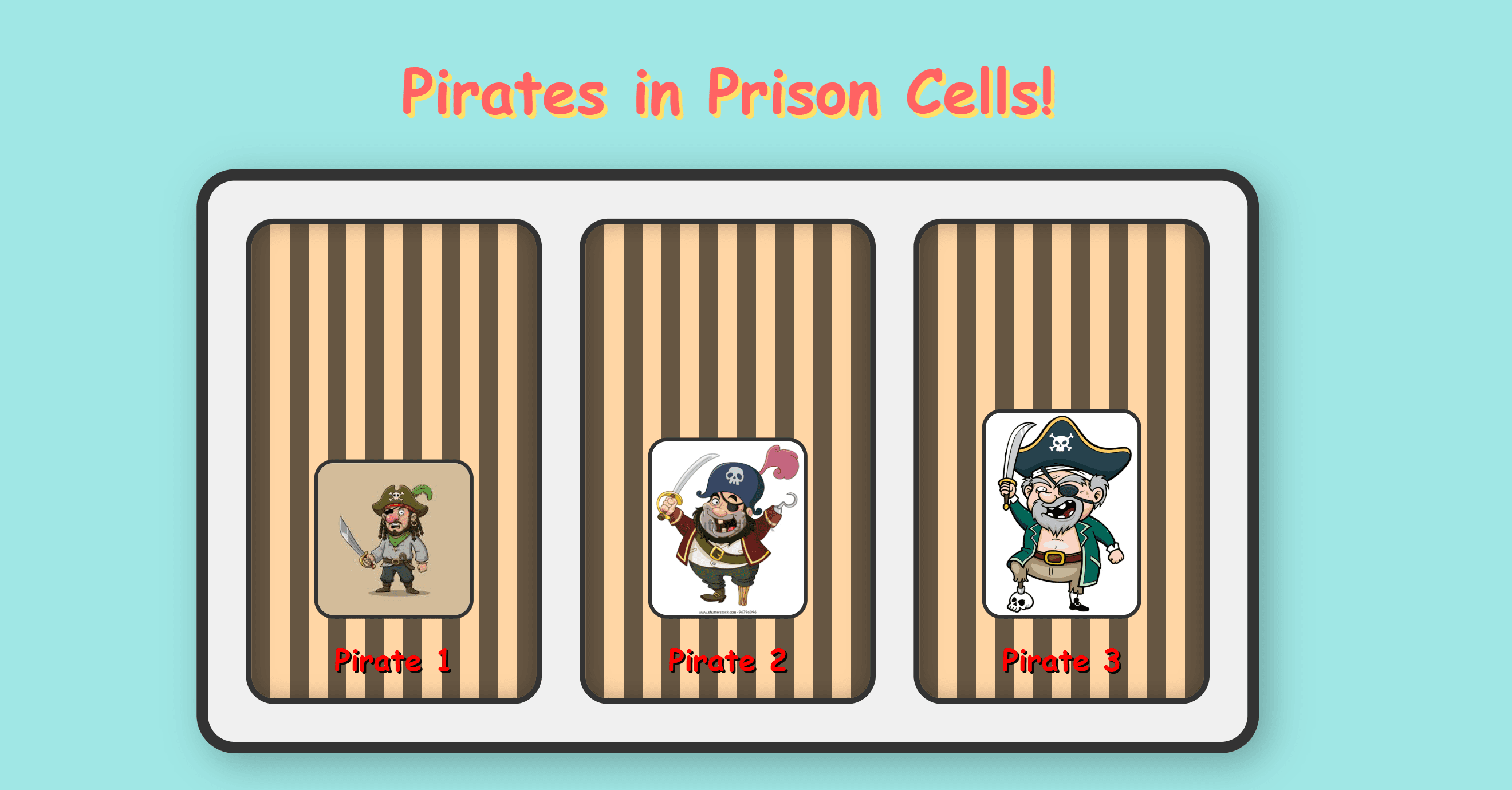
Solution
const jail = document.getElementById("jail");

for (let i = 0; i < 3; i++) {
  const cell = document.createElement("div");
  cell.className = "cell";
  const img = document.createElement("img");
  img.className = "pirate-img";
  img.src = `${pirateImages[i]}`;
  cell.appendChild(img);
  jail.appendChild(cell);
}
Project
Build the TV Remote
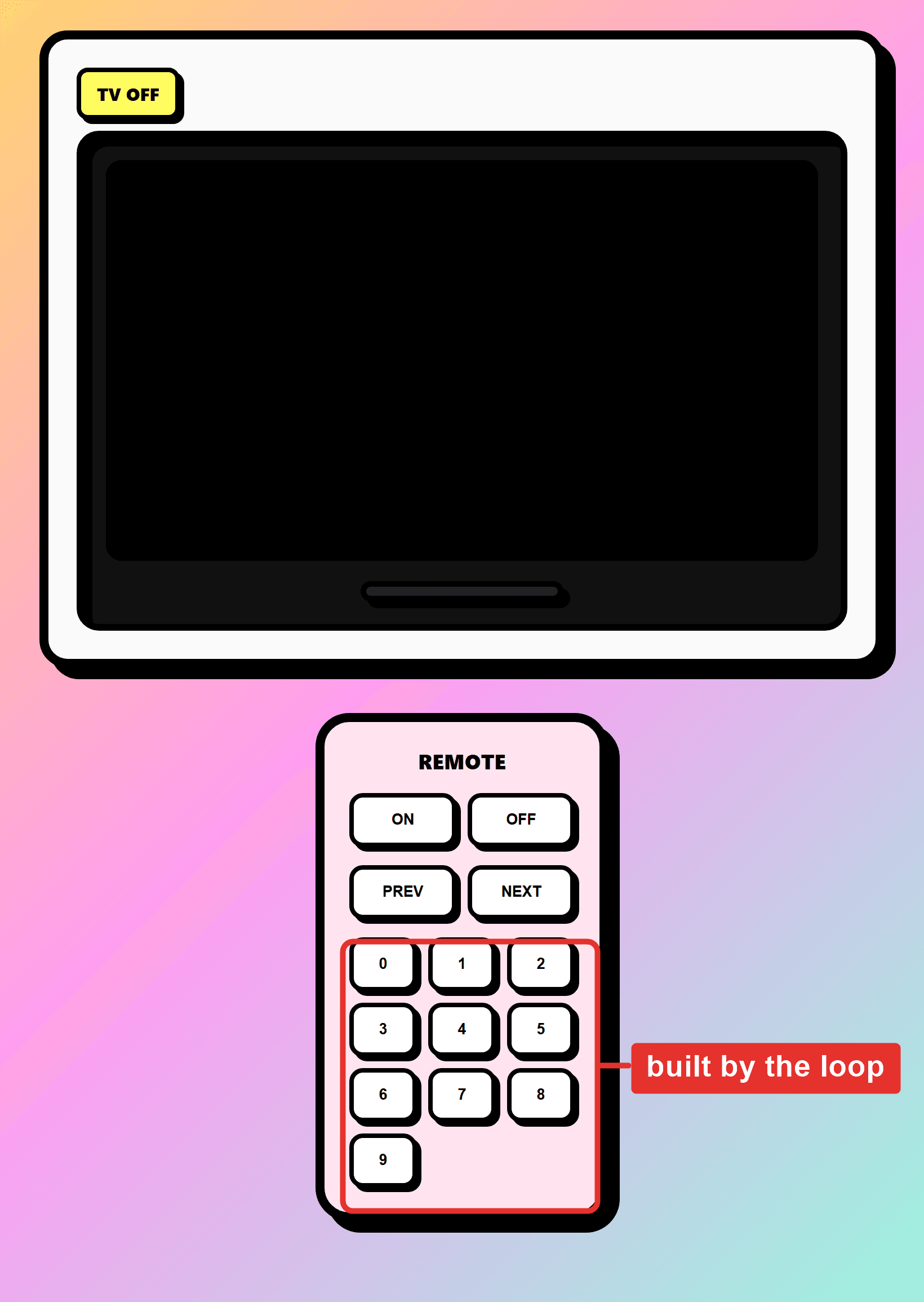
Solution
const numberButtons = document.getElementById("numberButtons");

for (let i = 0; i <= 9; i++) {
  const btn = document.createElement("button");
  btn.textContent = i;
  numberButtons.appendChild(btn);
}